


What you'll learn in this article
- Exactly what YouTube in-stream ads are, and why the skip button splits the format into two very different tools
- The real youtube in stream ad specs — size, aspect ratio, and duration for both skippable and non-skippable
- How each variant is billed — CPV on skippable, CPM on non-skippable — and what that does to your reporting
- Where in-stream ads actually appear, including live streams, and the view rate I expect before I judge a campaign
- The best practices that decide whether your first five seconds buy attention or get skipped
YouTube in-stream ads are the workhorse of video advertising — the ad that plays inside the video you actually came to watch. After years of running them across brand and performance budgets, my one strong opinion up front is that "in-stream" is not one format but two, and the mistake I see most often is treating them as interchangeable. The skip button changes everything: what you can say, how you're billed, and the single number you should be grading the campaign on.
This is the end-to-end version. What the format is, the specs and sizes, duration, cost and how you're charged, where the ads appear including on live streams, and — the part practitioners actually search for — the view rate I expect before I decide something is working. I'll flag where my experience diverges from the tidy answer, because that gap is exactly where wasted spend lives.
What are YouTube in-stream ads?
Here's the plain definition first. YouTube in-stream ads are video ads that play before, during, or after another video on YouTube watch pages and across websites and apps running on Google video partners. The video creative is hosted on YouTube, and the ad serves inside the stream of content the viewer is already watching — hence "in-stream."
Now the split that matters. There are two variants, and they behave like different animals. Skippable in-stream ads let the viewer skip after five seconds, so the viewer's choice to stay is itself the signal — you're buying self-selected attention. Non-skippable in-stream ads run 15 to 60 seconds with no skip option, so you're buying a guaranteed complete message. If you want the fuller map of every format and where in-stream sits within it, my catalogue of YouTube ad formats is the pillar I'd anchor to before going deeper here.
The mental model I use: skippable in-stream is a pitch you have to earn the right to finish, and non-skippable is a message you've paid to guarantee. That framing decides everything downstream — length, billing, and the KPI you grade on. It's also why the difference between in-stream and in-feed is worth understanding early: in-stream interrupts, in-feed waits to be chosen, and the two demand different creative entirely.
YouTube in-stream ad specs, size and duration
The youtube in stream ad specs are simpler than most people expect, but the two variants split on duration, so I'll keep them separate. The constant across both: your video must be hosted on YouTube, public or unlisted, and it serves inside the watch experience.
Duration
Skippable in-stream has no hard maximum length — Google recommends keeping it under three minutes, and in practice I rarely go past 60 to 90 seconds because attention falls off a cliff well before that. Non-skippable in-stream runs 15 to 60 seconds depending on the campaign subtype, and because the viewer can't leave, I treat the upper end as a hard budget rather than a target. For the authoritative, always-current breakdown of how each format serves and bills, Google's own about video ad formats page is the reference I keep open next to my own numbers.
Size and aspect ratio
16:9 horizontal is the safe default and what I always supply as the master asset. But the useful, less-obvious spec is that vertical (9:16) and square (1:1) videos are supported and genuinely worth uploading — a large share of the Google video partners inventory is vertical-focused, and the full-screen mobile experience of a vertical cut meaningfully lifts engagement on phones. My working rule is: build 16:9 as the anchor, then add a vertical version whenever mobile reach matters, which is nearly always. There's no single fixed pixel size to memorise here; YouTube renders from the hosted video, so what you control is aspect ratio and quality, not a banner dimension.
Cost and how in-stream ads are billed
This is the load-bearing section, because the two variants bill on completely different models — and if you don't set expectations here you'll misread every report.
Skippable: CPV
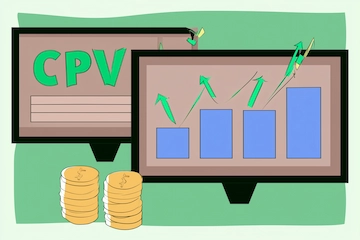
Skippable in-stream runs on CPV (cost-per-view) bidding by default. You pay when a viewer watches 30 seconds of your ad, or the full duration if it's shorter than 30 seconds, or interacts with it — whichever comes first. The inference from that billing rule is clean: the first five seconds are free exposure, and you only pay for the people who chose to keep watching. That's why skippable is the most honest attention test in the whole video lineup — the market is literally voting with its watch time. Note that skippable can also run on Target CPM, Target CPA, or Maximize conversions, in which case you're billed on impressions instead, which is how in-stream shows up inside performance-oriented campaigns.
Non-skippable: CPM
Non-skippable in-stream uses Target CPM bidding, so you pay per thousand impressions regardless of completion — which makes sense, because completion is guaranteed. In the accounts I run, non-skippable CPMs sit higher than a six-second bumper for the same audience, because you're buying more guaranteed seconds of attention. If you want the wider view of what all this inventory costs and how the CPV-versus-CPM models compare across formats, I've laid it out in the guide to what YouTube advertising costs. The one thing I'd burn into memory: never judge a skippable CPV campaign on CPM, or a non-skippable CPM campaign on cost-per-view. They answer different questions.
Where in-stream ads appear and the view rate I expect
In-stream ads appear on YouTube watch pages — before, during (mid-roll), or after a video — and across websites and apps running on Google video partners when you opt in. That "during" placement is the one people forget: on longer content and, yes, on live streams, in-stream ads serve as mid-rolls inside the broadcast, which is why a live sports or gaming stream carries the same skippable and non-skippable units you'd see on regular VOD. Live-stream inventory behaves like any other in-stream placement from a buying standpoint — same formats, same billing — the difference is context, not mechanics.
Now the number everyone actually wants. For skippable in-stream in the accounts I run, a view rate in the mid-teens to low-thirties percent is a normal, healthy band. Below the mid-teens and I start looking hard at targeting or the opening hook; comfortably into the twenties or thirties usually means the audience and the first five seconds are both doing their job. The two levers that move view rate more than anything else are targeting tightness and the strength of that opening — a loose audience with a slow intro will sit at the bottom of the band no matter how good the rest of the cut is. This is exactly why I obsess over the first five seconds of a video ad; on a skippable unit, that hook is the entire difference between a paid view and a skip.
One caveat on the metric itself: non-skippable in-stream doesn't have a comparable view rate, because there's no skip decision to measure — everyone who's served sees the whole thing. So when someone asks me "what's a good view rate," my first question is always "which variant," because the number only means something on the skippable side.
In-stream on live streams and longer content
A quick practical note, because live stream keeps coming up. When you run a standard in-stream campaign, you don't buy live placements separately — eligible live broadcasts are part of the same YouTube watch inventory, and your skippable or non-skippable ad can serve as a mid-roll inside them. The creative, the specs, and the billing are identical to VOD; what changes is that the surrounding content is going out in real time, which tends to mean higher attention and, in my experience, slightly stronger completion because the viewer is committed to the live moment.
If your goal is heavy, controlled placement on a specific live event or a guaranteed share of voice, that's reservation territory rather than auction — the same formats, bought on a fixed basis. For everyday campaigns, though, I let the auction place my in-stream ads wherever the audience is, live streams included, and read the results by format rather than by surface.
In-stream best practices that actually move the needle
Here's what consistently works across the accounts I run, split by the thing that matters most on each variant.
Front-load the first five seconds. On skippable, those five seconds are the whole ballgame — brand, hook, and reason to stay all have to land before the skip button unlocks. I open on the strongest visual or the clearest promise, never on a slow logo animation. Every point of view rate you gain here compounds into cheaper paid views.
Match length to intent. Use skippable when you want the market to tell you what's working and you're happy to pay only for earned attention; use non-skippable 15-second cuts when the message is short, unmissable, and the completeness is the point. Don't reach for a 60-second non-skippable to say something a 15 could carry.
Design for sound and mobile. Assume a meaningful share of impressions start muted and on a phone, so the visual has to carry the message and a vertical cut has to exist. A skippable ad that only works with sound on desktop is leaving view rate on the table.
Pick the billing that matches the goal. If you're optimising for views and attention, keep skippable on CPV. If you're inside a conversion campaign, let it run on impressions and judge it on downstream action, not view rate. Grading a format on the wrong scoreboard is the single most common way I see in-stream declared "not working."
Read view rate as a diagnostic, not a vanity metric. A low view rate is telling you something specific — usually targeting or hook — so treat it as a signal to fix one of those two, not as a reason to abandon the format.
FAQ: YouTube in-stream ads
What are YouTube in-stream ads?
What are the specs for a YouTube in-stream ad?
How are in-stream ads billed?
What view rate should I expect from in-stream ads?
All articles
See all →Related articles
 Campaigns
YouTube Ad Formats: Pre-Roll, Mid-Roll, Post-Roll Decoded
Pre-roll, mid-roll, post-roll and overlay on YouTube: where the ad lands, how attention and completion shift, and when I pick skippable vs non-skippable.
 Campaigns
YouTube Masthead Ads: Homepage Reach, Specs, Cost & Booking
YouTube masthead ads explained end to end: where the unit runs, specs, youtube masthead ad cost and booking, and why I treat it as reach brand, not performance.
 Campaigns
YouTube Skippable Ads vs Non-Skippable: When to Use Each
YouTube skippable ads vs non skippable youtube ads by a practitioner: length, specs, cost, view rate and message control, plus how to build both.
 Campaigns
Did YouTube Remove Skippable Ads? What Actually Changed
Did YouTube remove skippable ads? A practitioner explains why some ads aren
 Campaigns
History of YouTube Ad Formats: How the Rules Shifted
The history of YouTube ad formats read for inference: why skippable, non-skippable and ad lengths changed, and what the YouTube ad formats evolution means today.
 Campaigns
In-Stream vs In-Feed YouTube Ads: Where, Cost, Funnel
In-stream ads youtube vs video discovery: where each serves, how you pay, and why confusing them wastes budget how I split them by funnel.